If you’ve recently seen the warning “Conversions with cart data need attention,” you’re not alone.
Google recently added this check to the conversion diagnostics tab. A good thing, if you ask me.
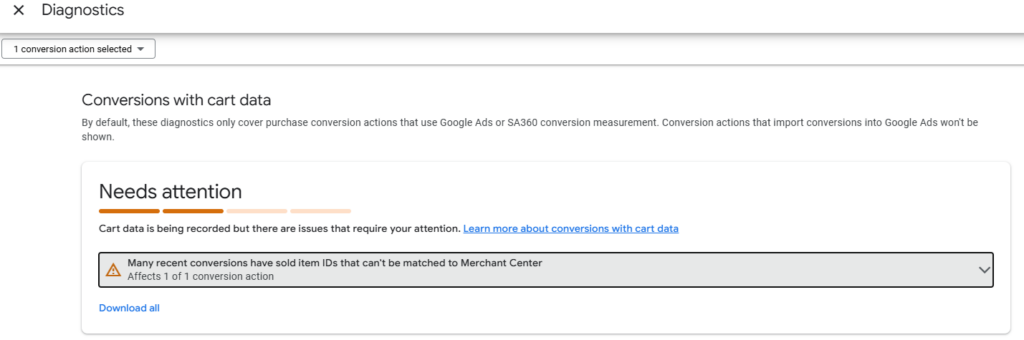
If you do not know what ‘conversions with cart data’ entails, read this: https://support.google.com/google-ads/answer/9028254
Here’s my preferred way to set it up properly:
1. Add product-level sales data to the dataLayer on the order confirmation page.
Here’s an example:
window.dataLayer.push({
       event: "purchase",
       transaction_id: "20250829_002",
       value: 16.20,
       items: [
         {
           id: "123abc"
           item_id: "123abc",
           item_name: "World’s Smallest Speedo",
           item_category: "Apparel",
           item_category2: "My Favorite Swimwear",
           coupon: "LOOK-AMAZING",
           discount: 2.20,
           price: 9.20,
           quantity: 2
         }
       ]
      });
Note how I’ve added both the ‘id’ and ‘item_id’ to the items in the ‘items’ array. This is because for GA4 or Firebase as a conversion source, you need ‘item_id’ — and when using Google Ads as the conversion source, you need to use ‘id’.
Make sure the ID value matches the product IDs in your merchant center.
2. Use Google Tag Manager with Google Ads Conversion Tracking tag template to send the data on the purchase event.
3. Add cost_of_goods_sold attribute in your GMC product feed to allow for profit tracking.
That’s it.
– Nils