Ever wondered why some advertisers have these shiny stars sparkling next to their ads, and you don’t?

They are called Seller ratings, an ‘Account-level automated asset.’ You need good, fresh reviews and ratings from trusted sources to get Seller ratings to show.
Here’s more info on them (including requirements):
https://support.google.com/google-ads/answer/2375474?hl=en
And here’s how you can easily test your eligibility:
https://www.google.com/storepages?q={your_domain}&c={your_countrycode}
Example:
https://www.google.com/storepages?q=passporta.com&c=NL
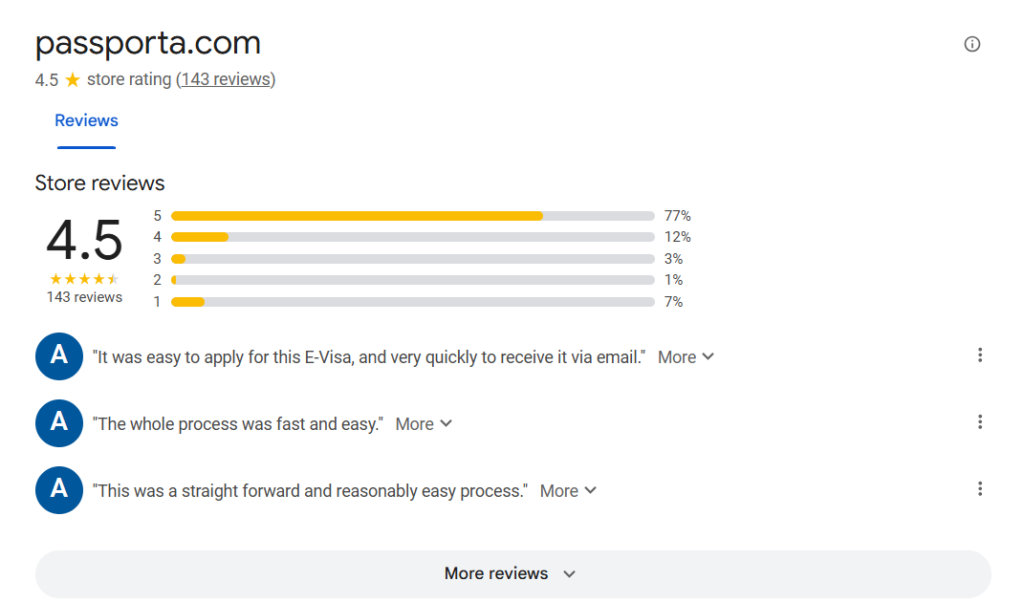
Go ahead, test your domain, it only takes one minute:
https://www.google.com/storepages?q={your_domain}&c={your_countrycode}
PRO TIP: Seller ratings are the only kind of ‘Account-level automated asset’ I recommend leaving enabled. Best to turn the rest off. More details here:
https://nilsrooijmans.com/note/a-hidden-setting-you-probably-want-to-change/
– Nils